
When buying storage for your computer, many people get confused between HDDs and SSDs. Both are used to store files, games, operating systems, and applications, but they work very differently. Choosing the right storage device can improve your computer’s speed, performance, and reliability.
In this blog, we will explain how to choose the correct hard disk drive, the difference between HDD and SSD, and why more people are switching to SSDs today.
What is a Hard Disk Drive (HDD)?
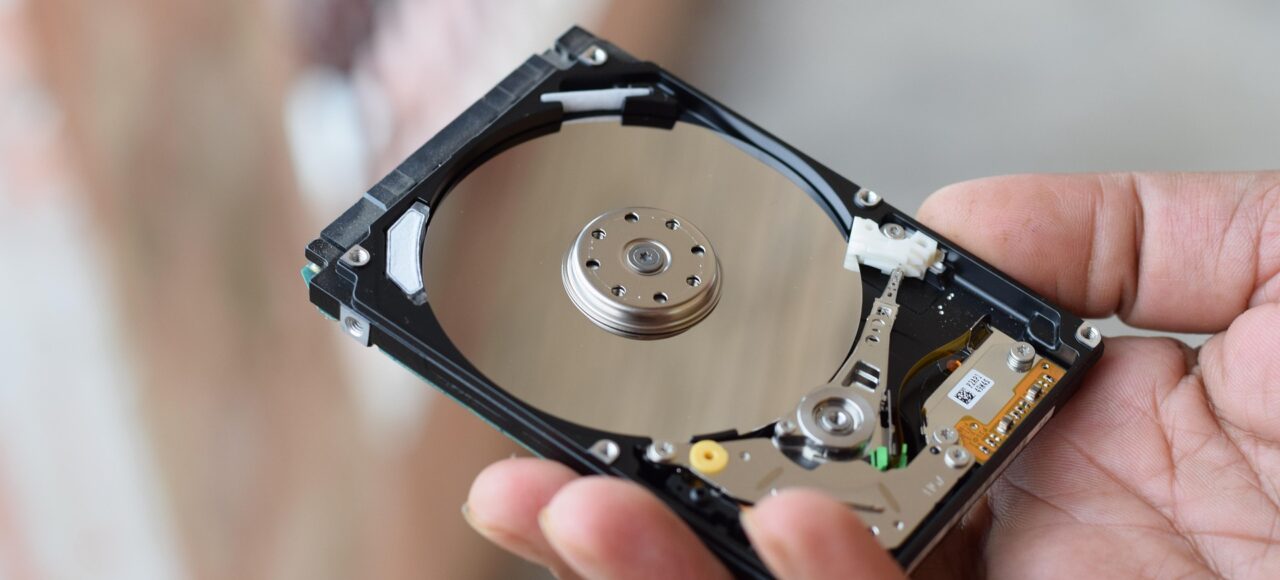
A Hard Disk Drive (HDD) is a traditional storage device that stores data on spinning magnetic disks. It has been used in computers for decades and is still popular because of its affordable price and large storage capacity.
Advantages of HDD
- Lower cost per GB
- Available in very large capacities
- Good for storing movies, backups, and large files
Disadvantages of HDD
- Slower performance
- Mechanical parts can fail over time
- Produces noise and heat
- Heavier than SSDs
How to Choose the Right HDD
Before buying an HDD, consider the following factors:
1. Storage Capacity
Choose storage according to your needs:
- 500GB – 1TB: Good for normal users and office work
- 2TB – 4TB: Best for gamers and multimedia users
- 6TB and above: Ideal for professional backups and servers
If you store many videos, games, or large files, go for higher capacity.
2. Speed (RPM)
HDD speed is measured in RPM (Revolutions Per Minute).
- 5400 RPM: Slower but cheaper and quieter
- 7200 RPM: Faster and better for gaming and performance
For better performance, a 7200 RPM drive is usually recommended.
3. Cache Memory
Cache memory helps improve data access speed.
- 32MB Cache – Basic use
- 64MB Cache – Better performance
- 128MB or higher – Faster multitasking
Higher cache generally means better performance.
4. Internal vs External HDD
Internal HDD
- Installed inside the computer
- Used as primary storage
External HDD
- Portable and connected via USB
- Best for backups and file transfer
Choose based on your usage requirements.
Difference Between HDD and SSD
| Feature | HDD | SSD |
|---|---|---|
| Speed | Slower | Much Faster |
| Technology | Spinning disks | Flash memory |
| Noise | Makes noise | Silent |
| Durability | Less durable | More durable |
| Power Consumption | Higher | Lower |
| Weight | Heavier | Lightweight |
| Boot Time | Slow | Very Fast |
| Price | Cheaper | More expensive |
What is an SSD?
A Solid State Drive (SSD) is a modern storage device that uses flash memory instead of spinning disks. SSDs have no moving parts, making them much faster and more reliable.
Why People Should Choose SSDs
Today, SSDs are becoming the preferred choice for laptops and desktops. Here’s why:
1. Much Faster Performance
SSDs can boot your computer in seconds. Applications open faster, games load quicker, and file transfers are significantly improved.
Example:
- HDD boot time: 40–60 seconds
- SSD boot time: 10–15 seconds
2. Better Durability
Since SSDs have no moving parts, they are more resistant to shocks and physical damage. This makes them ideal for laptops.
3. Silent Operation
Unlike HDDs, SSDs do not produce spinning or clicking sounds.
4. Lower Power Consumption
SSDs use less electricity, which helps improve laptop battery life.
5. Compact and Lightweight
SSDs are smaller and lighter, making modern laptops thinner and easier to carry.
Should You Buy HDD or SSD?
Choose HDD If:
- You need large storage at a lower price
- You mainly store movies, backups, or documents
- Speed is not your top priority
Choose SSD If:
- You want fast performance
- You use heavy applications or games
- You need better reliability and speed
- You want faster startup and loading times
Best Option: Use Both HDD and SSD
Many users combine both storage devices:
- SSD for operating system and applications
- HDD for storing large files and backups
This setup provides both speed and high storage capacity at a reasonable cost.
Conclusion
Choosing the right storage device depends on your needs and budget. HDDs are affordable and offer large storage, while SSDs provide excellent speed, durability, and performance.
If performance matters most, SSD is the better choice. Although SSDs are slightly more expensive, the speed and user experience they provide make them worth the investment.
As technology continues to improve, SSDs are becoming the standard storage solution for modern computers.